Instructions for importing WIBU cloud container
Remark: installation of cloud keys is highly exceptional. Only if explicitly agreed upon with ARDIS®.
STEP 1: Prerequisites
- CodeMeter Control Center has been installed (see step 2 on the OPTIMIZER setup page)
- You received a *.WBC-file from ARDIS®.
STEP 2: Import cloud container
Open the CodeMeter Control Center. There are two options to import the *.WBC-file.
Option 1: drag & drop
- Drag & drop the *.WBC-file into CodeMeter Control Center.
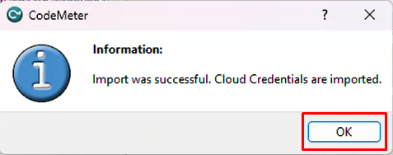
- When successful, an information dialog will appear. Click "OK" to continue.
Option 2: manual import
- Click "File" > "Import License ..."
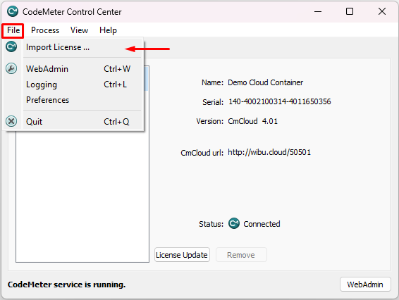
- A new dialog will open. Select your *.WBC-file and click "import".
- When successful, an information dialog will appear. Click "OK" to continue.
- CodeMeter Control Center will now show a new container of type CmCloud.